Three Omarchy Plugins, One 2013 MacBook Air
How I spent a weekend building Moonshot, PhotoDock, and Omarchy Chess on a 4GB MacBook Air running Omarchy Quattro, with Codex helping me move faster.
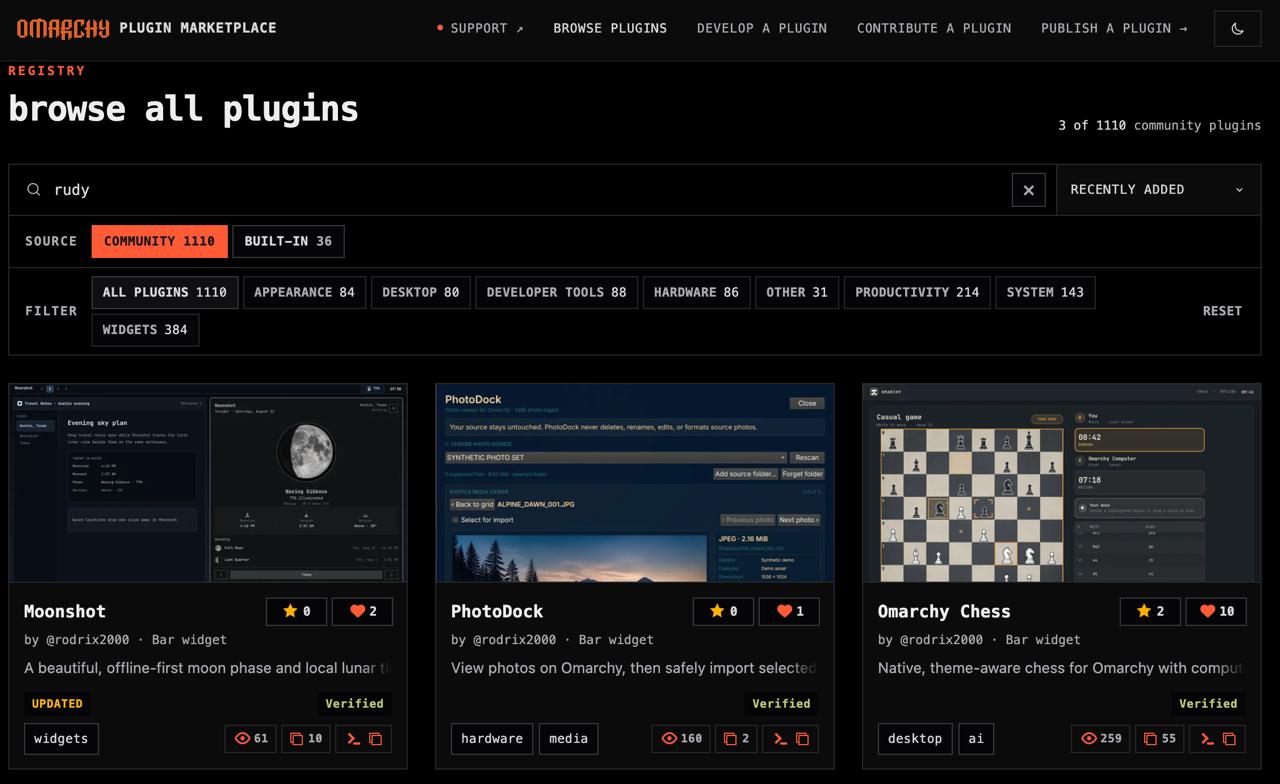
I spent most of this weekend building plugins for Omarchy Quattro.
By Sunday, I had three of them published and verified in the official Omarchy Plugin Marketplace:
- Moonshot, an offline-first moon phase and local lunar timing companion
- PhotoDock, a safer way to view and import photos from a camera, with copy verification and optional backups
- Omarchy Chess, native, theme-aware chess with computer and local two-player modes
The best part might be the computer I built them on.
It was a 2013 MacBook Air with 4GB of RAM.
I installed Omarchy Quattro on it, turning an old MacBook into a surprisingly capable Linux laptop. That little machine became my development environment for the weekend.
No giant workstation. No mountain of memory. Just an old MacBook Air, Linux, Codex, and a list of things I wanted the operating system to do.
Quattro makes the computer feel like yours
I have been loving the new Omarchy Quattro release.
The fun of Omarchy is that you do not have to accept the operating system exactly as it was handed to you. If you want a tool, widget, or workflow that does not exist yet, you can build it as a plugin.
Moon phases in the bar? Build it.
A safer photo-import workflow? Build it.
Chess that matches the rest of the desktop? Apparently, also build it.
That plugin model turns the operating system into something you can shape around the way you work. It starts to feel less like a finished appliance and more like a workshop.
Codex helped me move faster
I used Codex throughout the weekend to speed up development.
It did not remove the need to decide what each plugin should do or how it should behave. I still had to set the direction, make the tradeoffs, test the results, and decide when each project was ready to publish.
What Codex changed was the distance between an idea and a working version.
I could iterate faster, work through unfamiliar pieces, and spend more time thinking about the actual experience of each plugin instead of getting stuck on every implementation detail.
That is the kind of AI-assisted development I find useful. The AI is not the product. It gives the builder more leverage.
Quattro also brings AI capabilities directly into the operating environment. You can sign in using an existing supported subscription or bring your own API key. That makes AI feel less like a separate destination and more like another tool available while you work.
Small software is fun again
These plugins are intentionally focused.
Moonshot does not need to become a giant astronomy platform. PhotoDock does not need to replace an entire photo-management suite. Omarchy Chess does not need to compete with every chess website on the internet.
Each one has a specific job. That made them fun to build and practical to ship.
This weekend reminded me how enjoyable small software can be when the distance between “I wish my computer did this” and “I built it” gets shorter.
And the fact that it all happened on a MacBook Air that is more than a decade old, with only 4GB of RAM, makes it even better.
That old Mac is a Linux laptop now.
It also happens to be the machine where three verified Omarchy plugins were built.
This is a genuinely exciting time to make software. The tools are getting better, the hardware barrier keeps getting lower, and operating systems like Omarchy are giving builders permission to make the computer their own.
Sometimes the next useful piece of software begins with a very simple thought:
I wish this existed.
The best ideas arrive in your inbox.
One thoughtful monthly edition with practical lessons and things I'm building.